Automate your Jumia Listings with AI
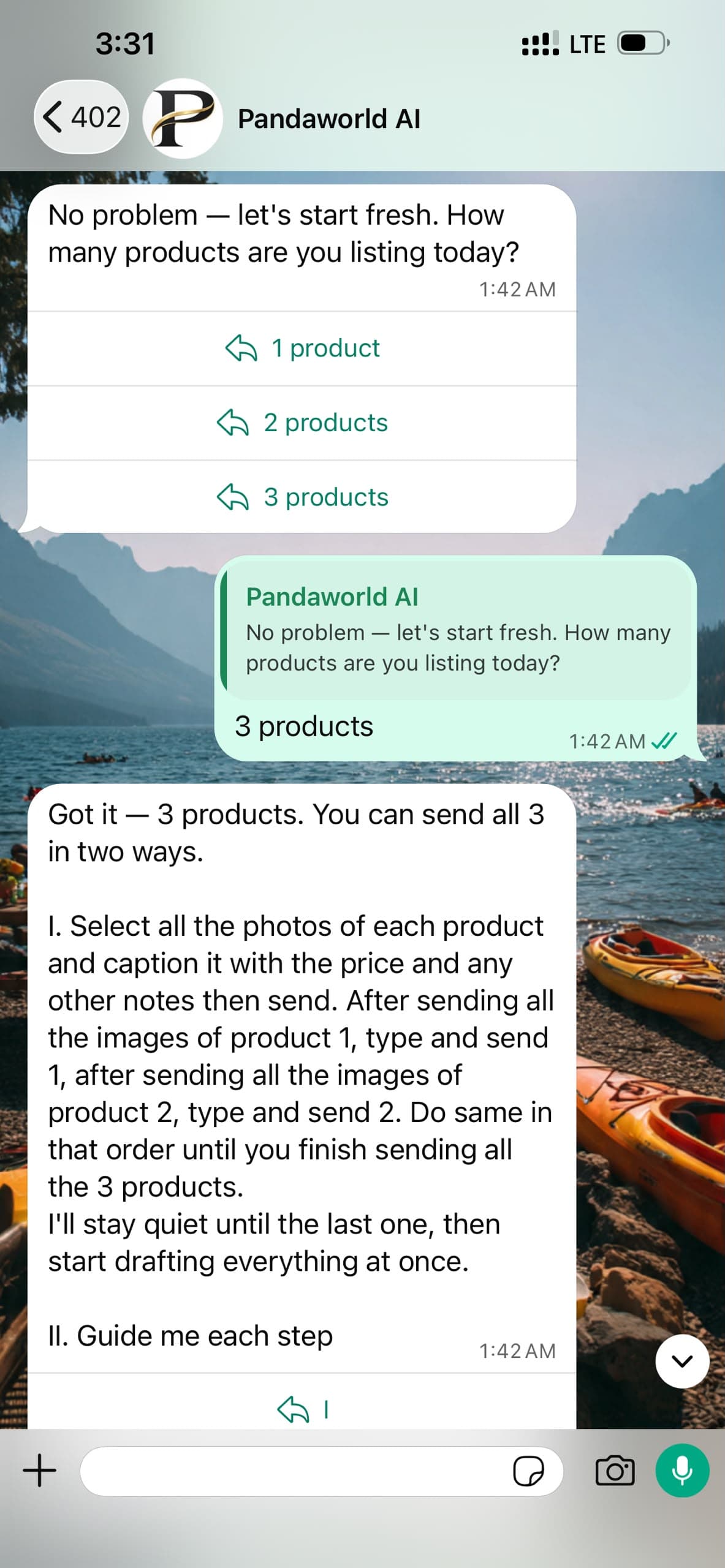
PandaWorld's AI automates your Jumia listings and helps sellers spend less time listing products to Jumia. The listing tool works in two ways; the first is automating listings by uploading products on WhatsApp and second, a dedicated Chrome extension.
How it works
Two ways to get your products listed
Use the extension when you're at your laptop, or send photos on WhatsApp when you're not. Either way our AI writes the listing, and you have the final say before it goes live.
From your browser
- 1
Install the extension
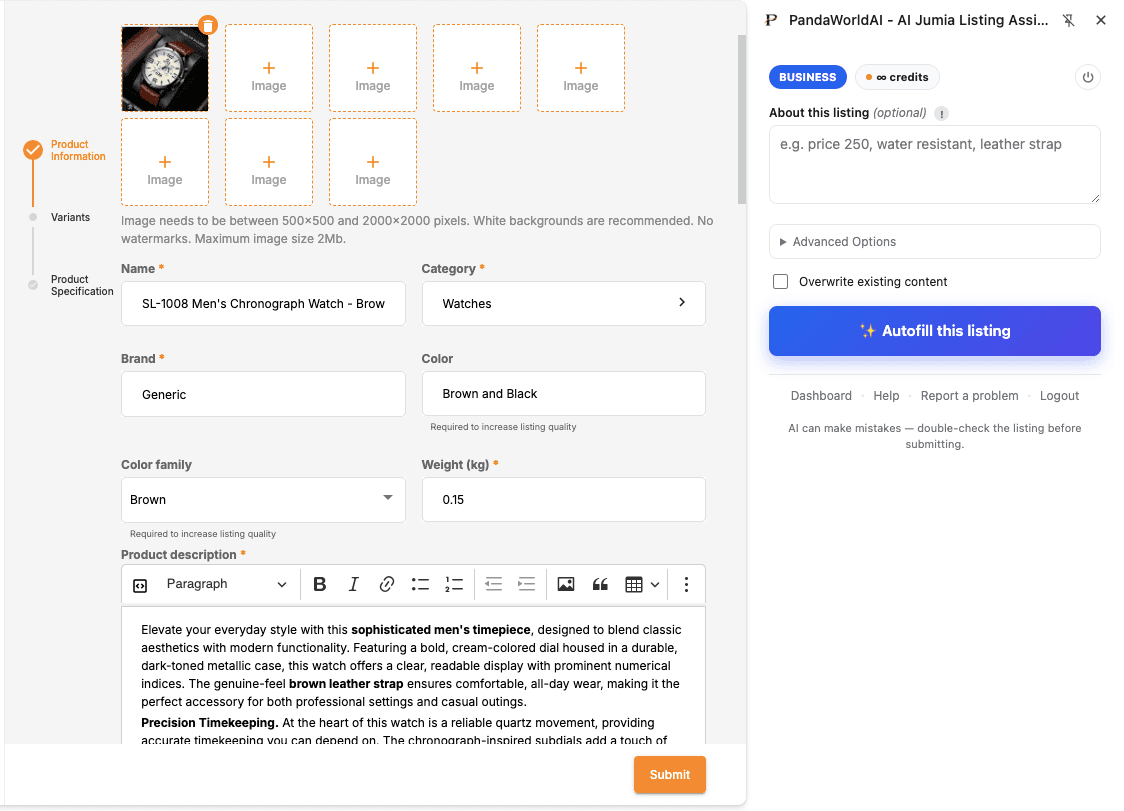
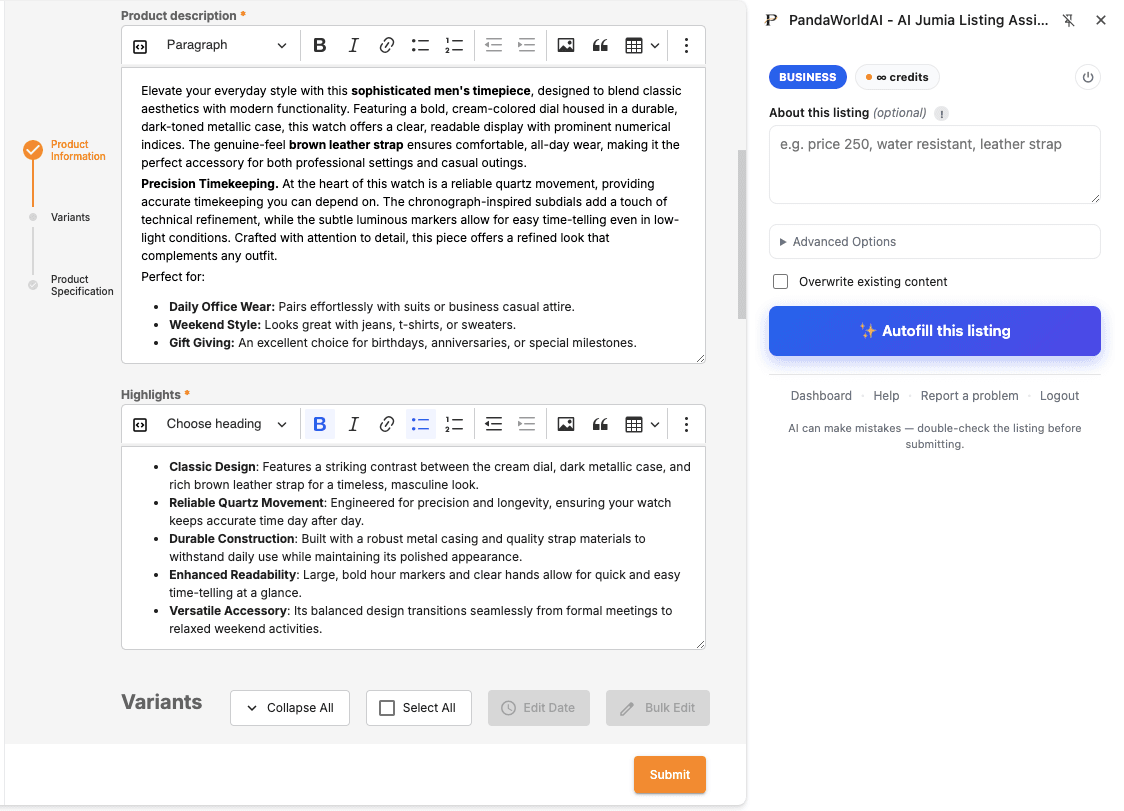
Open Chrome Web Store →Add PandaWorld to Chrome and pin it. It opens as a side panel next to Jumia Vendor Center.
- 2
Sign in with your API key
Generate a key in your PandaWorld dashboard and paste it into the panel.
- 3
Add a photo and pick a category
Do your listing on Jumia like normal. Upload the product image and choose a category to open the form.
- 4
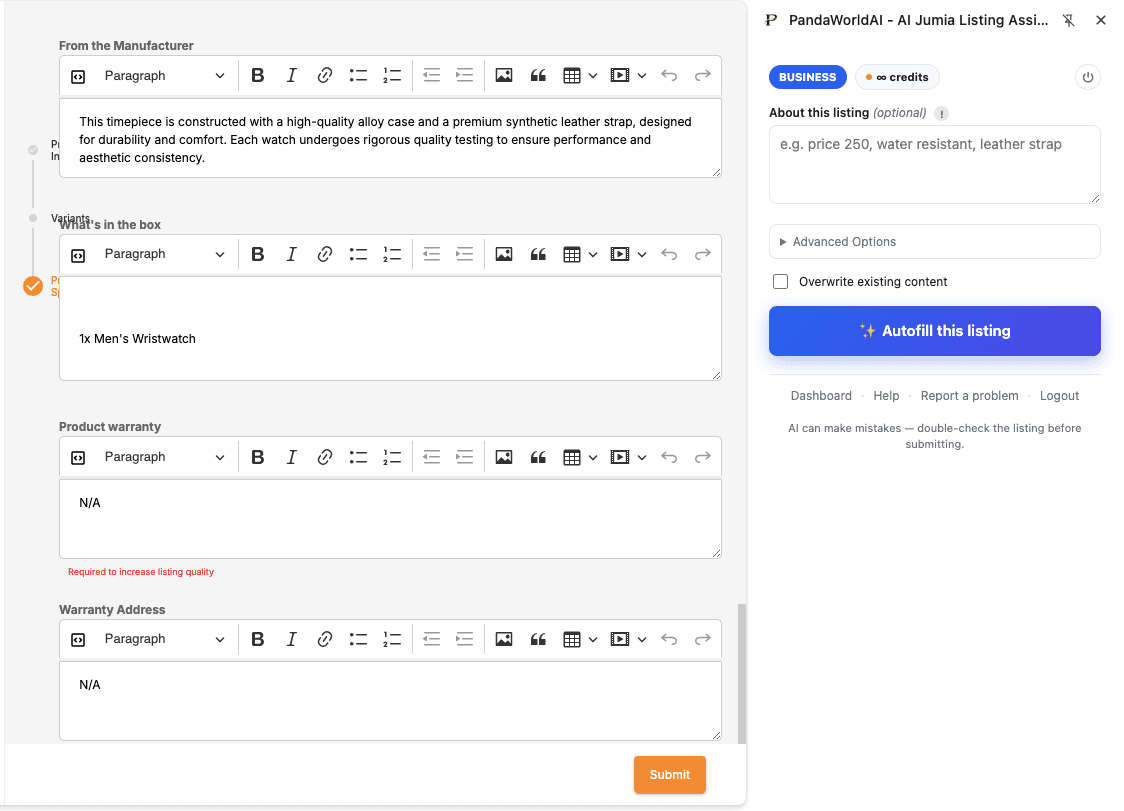
Click Autofill, review, submit
AI fills the title, description, highlights, and attributes. Check it, tweak anything that needs it, and submit.
- 5
Polish photos and check your price
With the Pro and Business packs, Polish turns your photos into clean studio shots, and your country's Jumia fee calculator shows what you'll take home. Both sit in the panel.
From WhatsApp
- 1
Link your WhatsApp
In your PandaWorld dashboard, tap WhatsApp Bot. WhatsApp opens with a connect code ready to send to our number, +233548534323.
- 2
Connect your Jumia store
Once only: the bot shows you how to make a Self Authorization app in Vendor Center. Paste its Client ID and token in the chat and you stay connected.
- 3
Say how many products
Reply with a number, up to 10 at a time. Send them all at once, each with a caption, or let the bot guide you one by one.
- 4
Send photos with the price
Send each product's photos with its price and anything that matters in the caption, like sizes, colours, or what's in the box.
- 5
Answer what's missing
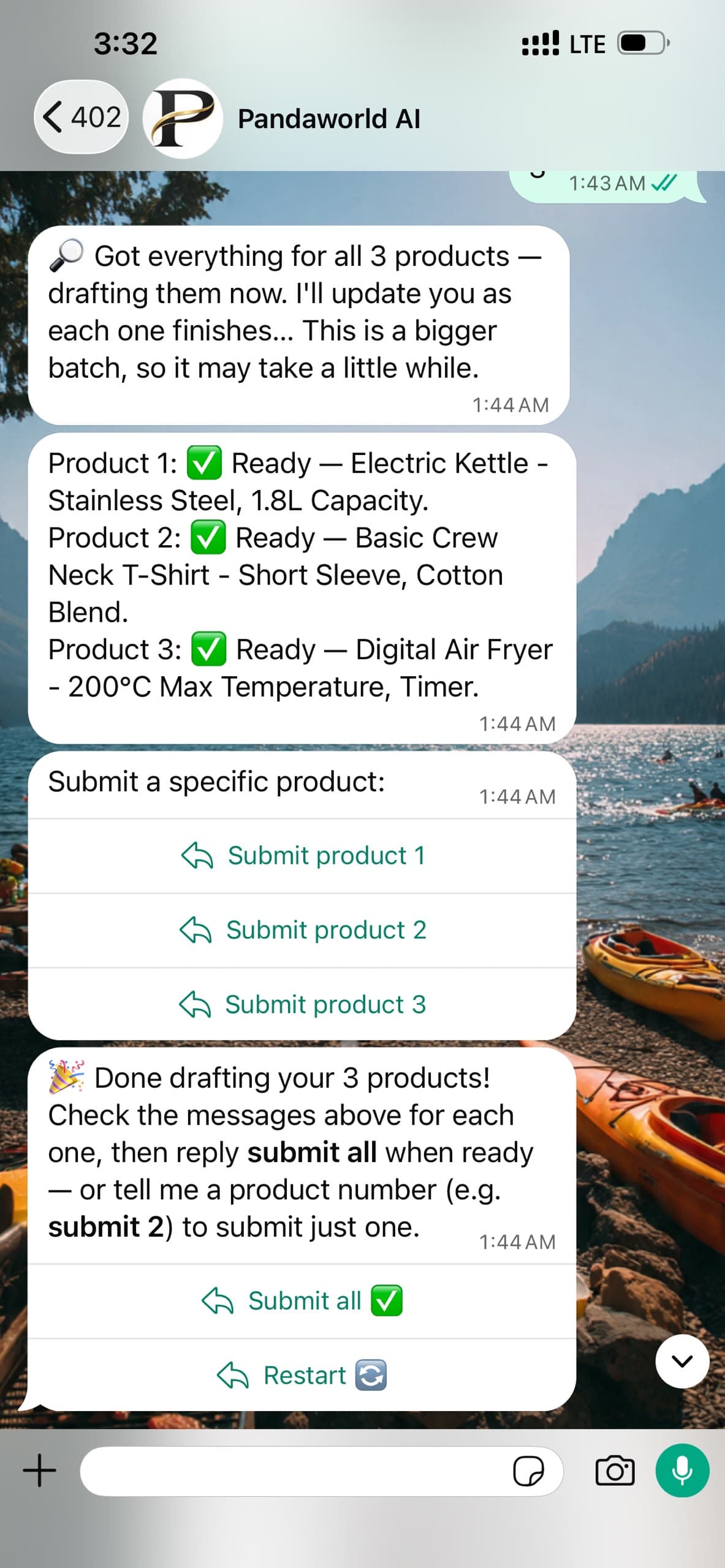
AI drafts every listing. If one still needs something, like a price or a variation, the bot asks you for it right in the chat.
- 6
Submit and hear back
Tap Submit and your products go to Jumia for review. The bot tells you when each one goes live, or what Jumia wants changed so you can fix it in a tap.
See it happen
Real listings, not mockups
From the Chrome extension
From WhatsApp