
Automate your Jumia Listings with AI
PandaWorld's AI automates your Jumia listings and helps sellers spend less time listing products to Jumia. The listing tool works in two ways; the first is automating listings by uploading products on WhatsApp and second, a dedicated Chrome extension.
How it works
Two ways to get your products listed
From your browser
- 1
Install the extension
Open Chrome Web Store →Add PandaWorld to Chrome and pin it. It opens as a side panel next to Jumia Vendor Center.
- 2
Sign in with your API key
Generate a key in your PandaWorld dashboard and paste it into the panel.
- 3
Add a photo and pick a category
Do your listing on Jumia like normal. Upload the product image and choose a category to open the form.
- 4
Click Autofill, review, submit
AI fills the title, description, highlights, and attributes. Check it, tweak anything that needs it, and submit.
- 5
Polish photos and check your price
Polish turns your photos into clean studio shots, on every pack. With Pro and Business, your country's Jumia fee calculator in the panel shows what you'll take home.
From WhatsApp
- 1
Link your WhatsApp
In your PandaWorld dashboard, tap WhatsApp Bot. WhatsApp opens with a connect code ready to send to our number, +233548534323.
- 2
Connect your Jumia store
Once only: the bot shows you how to make a Self Authorization app in Vendor Center. Paste its Client ID and token in the chat and you stay connected.
- 3
Say how many products
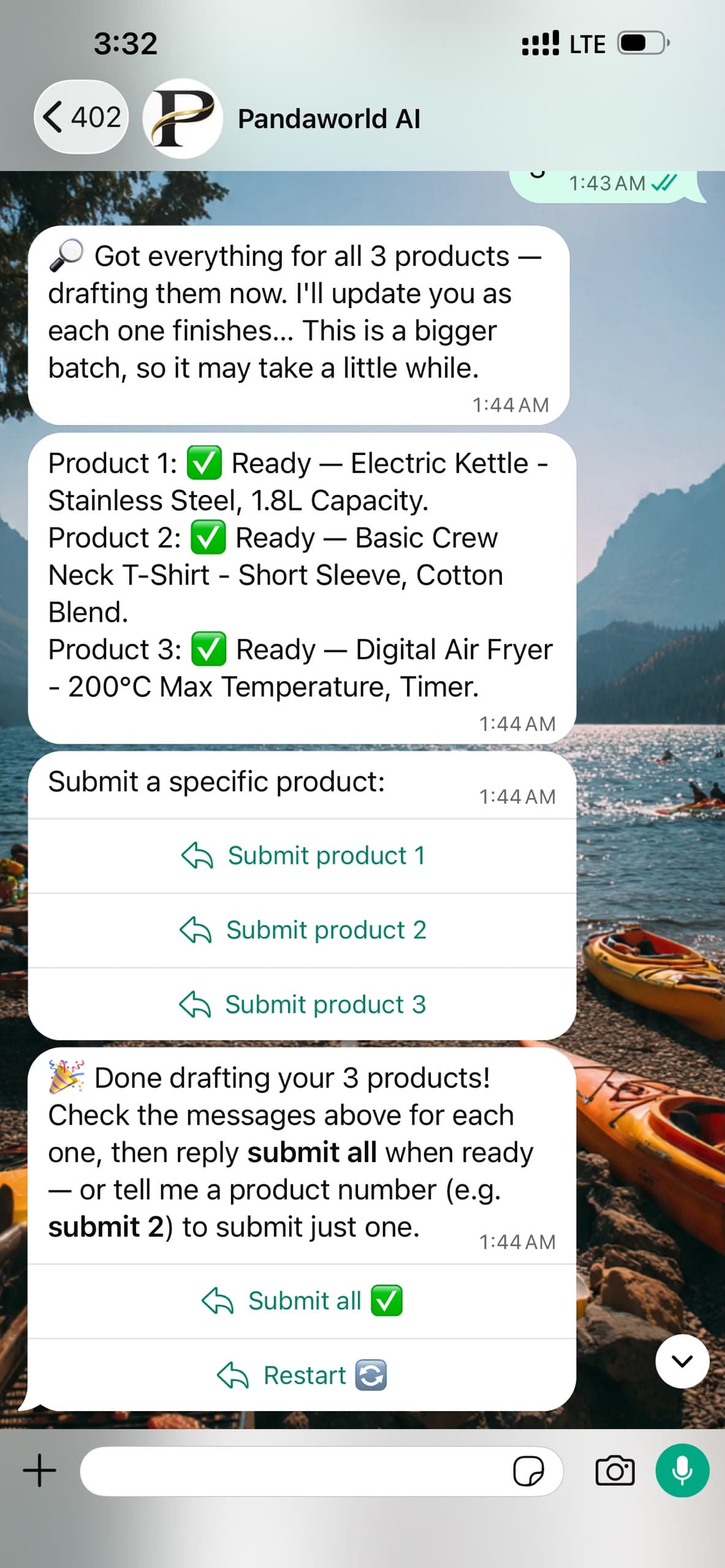
Reply with a number, up to 10 at a time. Send them all at once, each with a caption, or let the bot guide you one by one.
- 4
Send photos with the price
Send each product's photos with its price and anything that matters in the caption, like sizes, colours, or what's in the box.
- 5
Answer what's missing
AI drafts every listing. If one still needs something, like a price or a variation, the bot asks you for it right in the chat.
- 6
Submit and hear back
Tap Submit and your products go to Jumia for review. The bot tells you when each one goes live, or what Jumia wants changed so you can fix it in a tap.
See it happen
Real listings, not mockups
From the Chrome extension
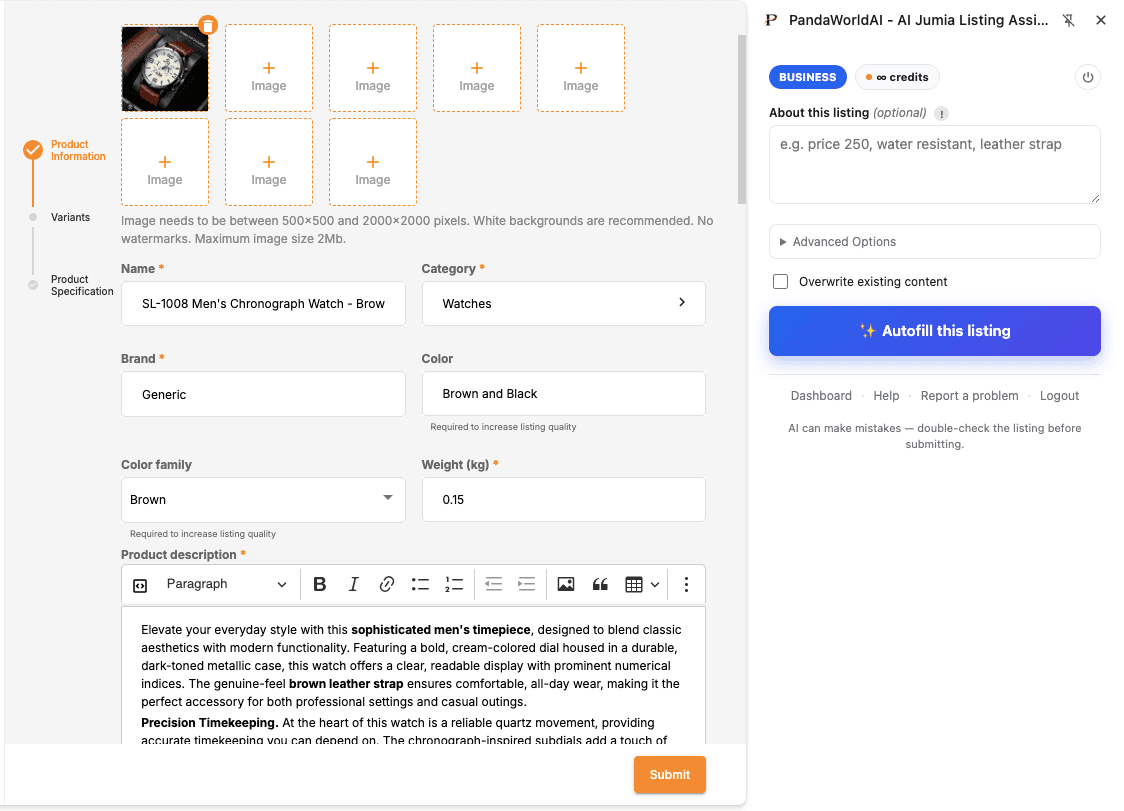
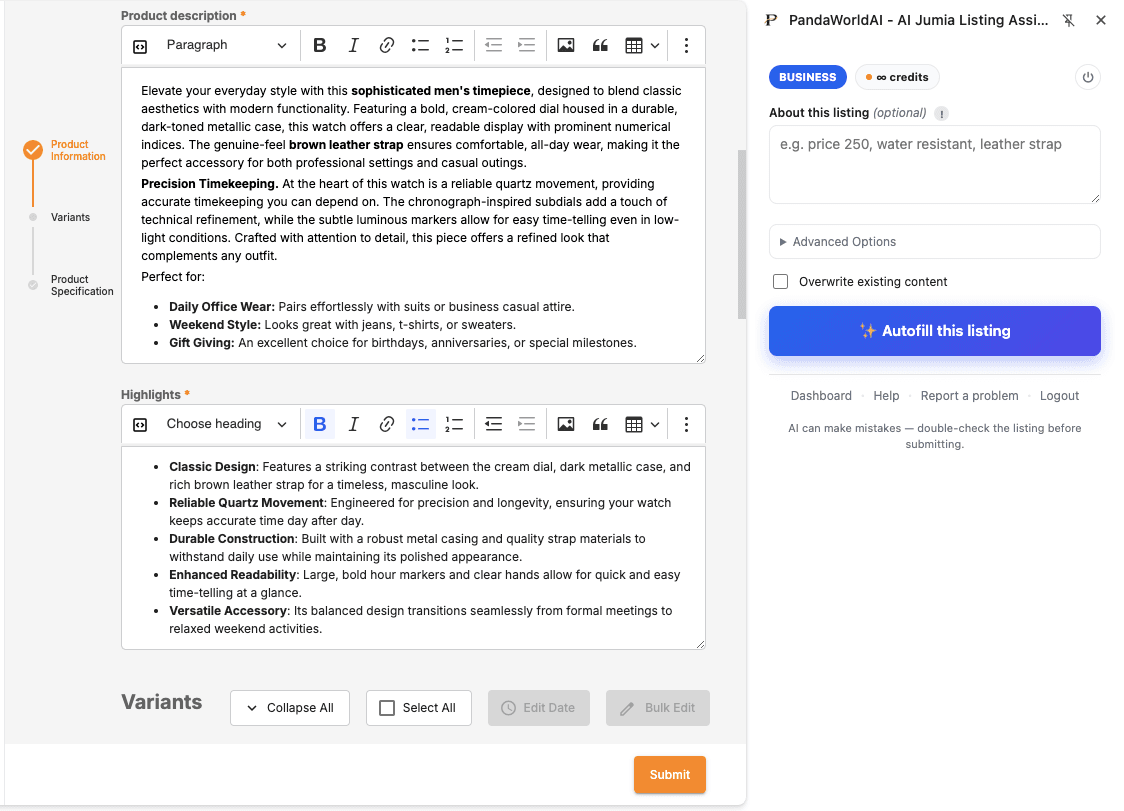
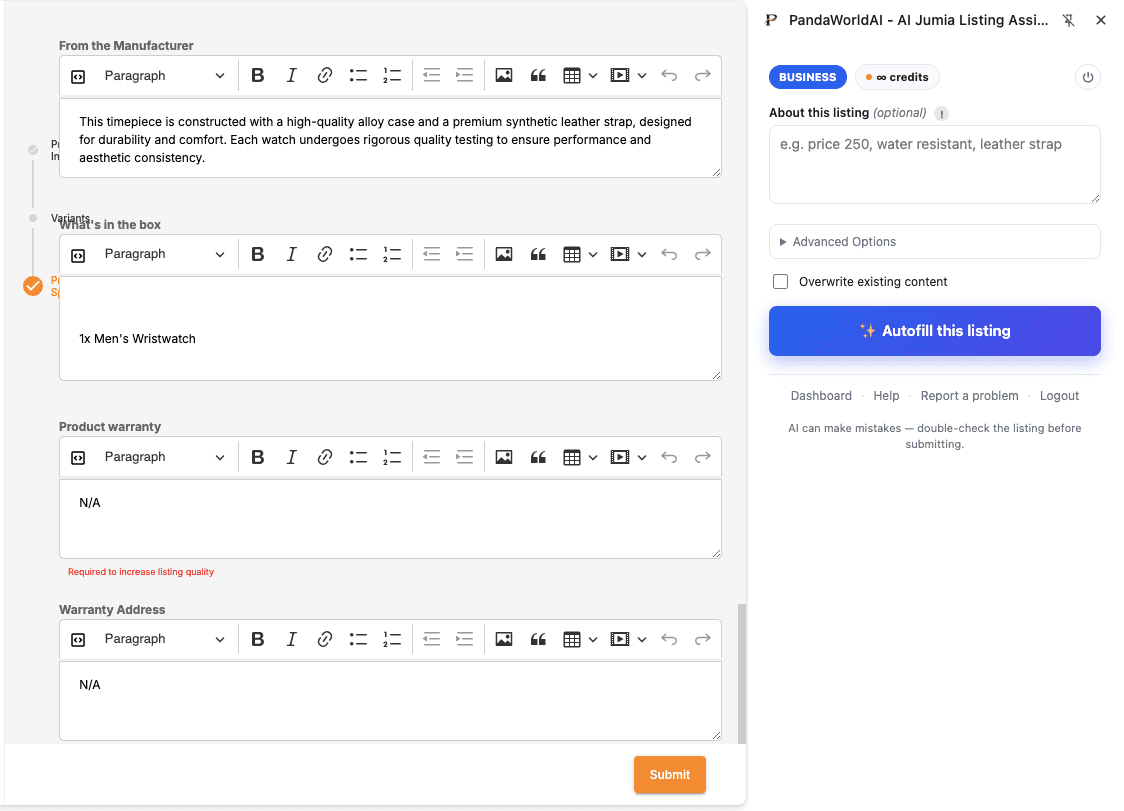
From WhatsApp
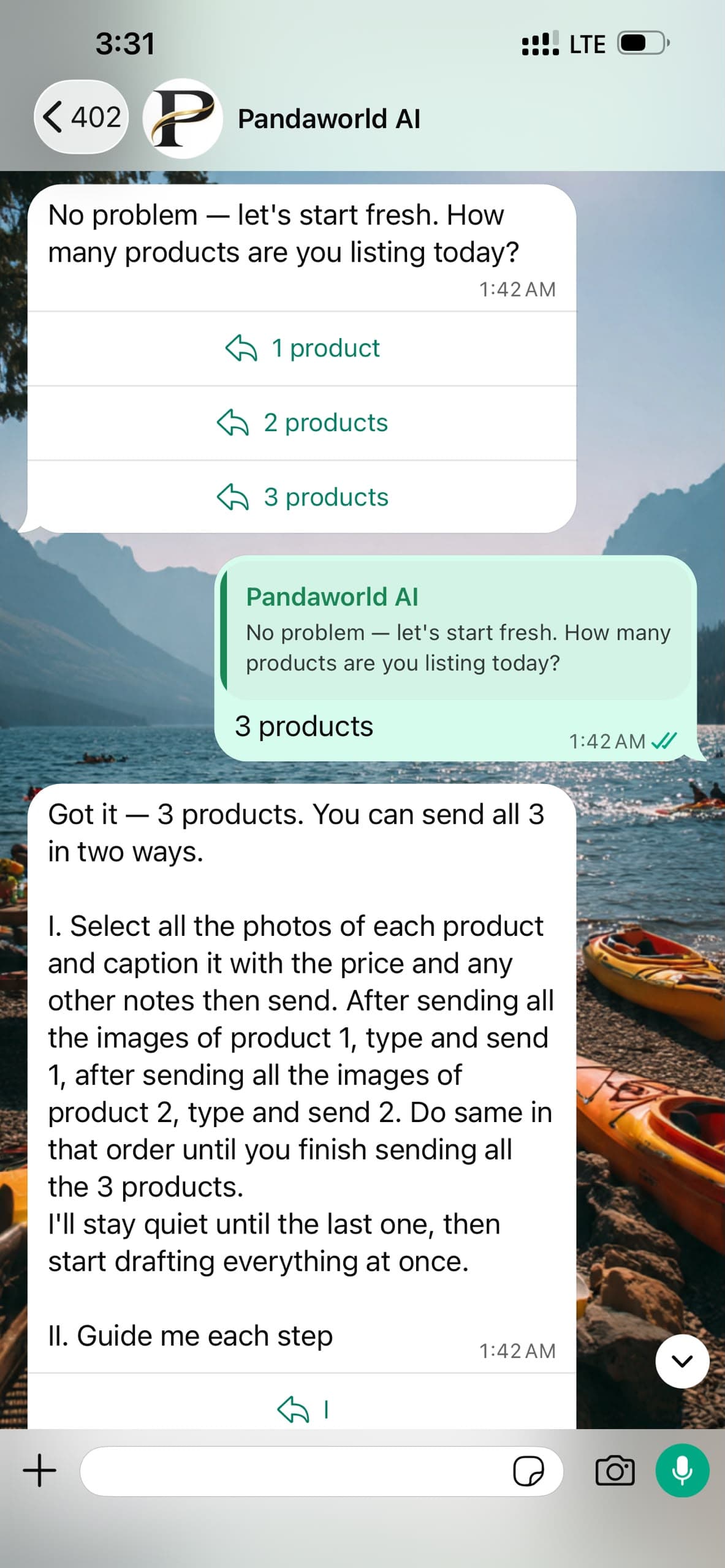
What PandaWorld does
More than listings: your whole Jumia shop in one chat
Talk to it in your own words on WhatsApp or in the chat on this website. No commands to learn.
List products from photos
WhatsApp, website chat, Chrome extension
- Send photos with the price: AI writes the name, description, highlights, category and every detail Jumia asks for
- Sizes, colours and sale prices with their dates, from your caption
- One photo of several products listed as separate products, each with a photo of just it
- Fix a batch in words: remove a photo, move one to the right product, go back to your last batch
- Polish: your photos cleaned onto white, or new product shots, on every pack
- Listings in French for Côte d'Ivoire, Senegal and Morocco, with Arabic too in Egypt and Morocco
The AI chat on the website
pandaworldai.site
- The same Jumia Listing Assistant as on WhatsApp, in your browser: no phone needed
- Drop in product photos and get complete drafts, then edit them right on the page
- Ask anything about your shop, your orders or how PandaWorld works, in your own words
- Pack orders, mark them ready to ship or cancel them (labels are sent to your WhatsApp)
Run your live Jumia shop
WhatsApp and website chat
- Change stock, price, sales and on/off, for one product or many at once by a rule ("all out of stock to 10")
- Edit names, descriptions, highlights, brand and details, add photos, add a new size or colour
- Fix products Jumia's quality check rejected, with Jumia's own reason
- Ask whether a brand is allowed or what a kind of product needs on Jumia
- Jumia warehouse: what it holds of a product, and sending stock in
Changes to live products are on every plan, free credits included.
Orders and shipping labels
- A message for every new order, with Pack & get label
- Packed at your drop-off station, and the shipping label PDF comes in the chat
- Labels sent on their own for orders you pack in Vendor Center, day or night
- Ready to ship and cancel with a tap; delivered, returned and failed orders told to you
Track your shipped packages
WhatsApp and website chat
- "Where is order 329176119?": where it is now, its route, the pickup station's hours and phone, Jumia's delivery date and a tracking link
- On WhatsApp, a message when a package waits at the pickup station past its delivery date, runs late, or Jumia flags a problem
- All your shipped orders at once, and how long your deliveries take to each area
Reports, sales and money
WhatsApp and website chat
- A shop health report: what's working and what to fix first
- Best sellers, slow movers, what runs out soon, returns, and what sold in any period
- What Jumia paid you and still owes, statement by statement
- What Jumia takes when a product sells, for your country